Review Audit Form
The submitted audit forms are list different tables based on their status. Pending audit forms requires review to proceed with the approval process. If modifications are necessary, a change request can be sent back to the site manager. Applications that fulfill all criteria will be approved, and Site Managers will be informed to move forward with the next steps.
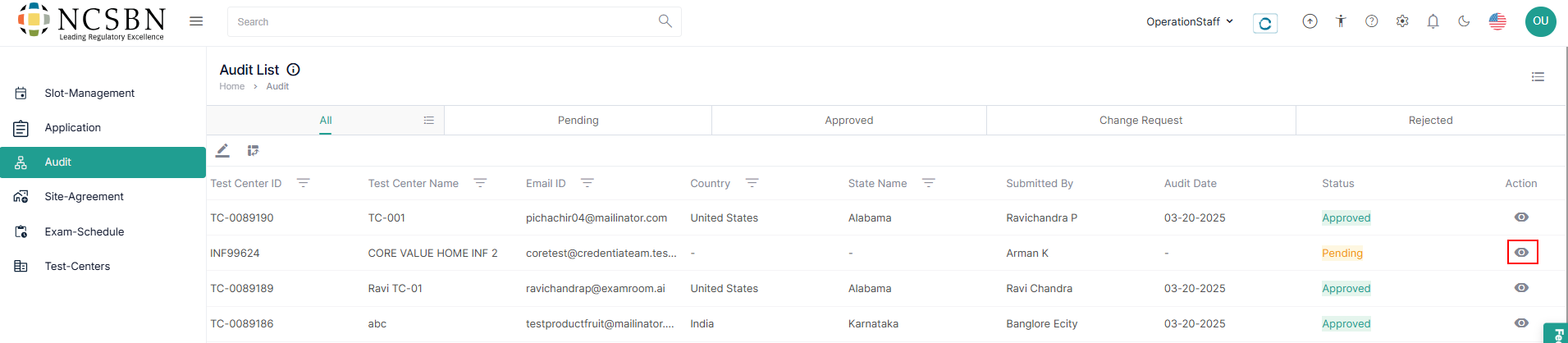
- To review an audit form, navigate to Audit section from the side menu.
- Select an audit form with a pending status from the audit list to review. Under the Action column, click on the View icon to proceed to the audit form.
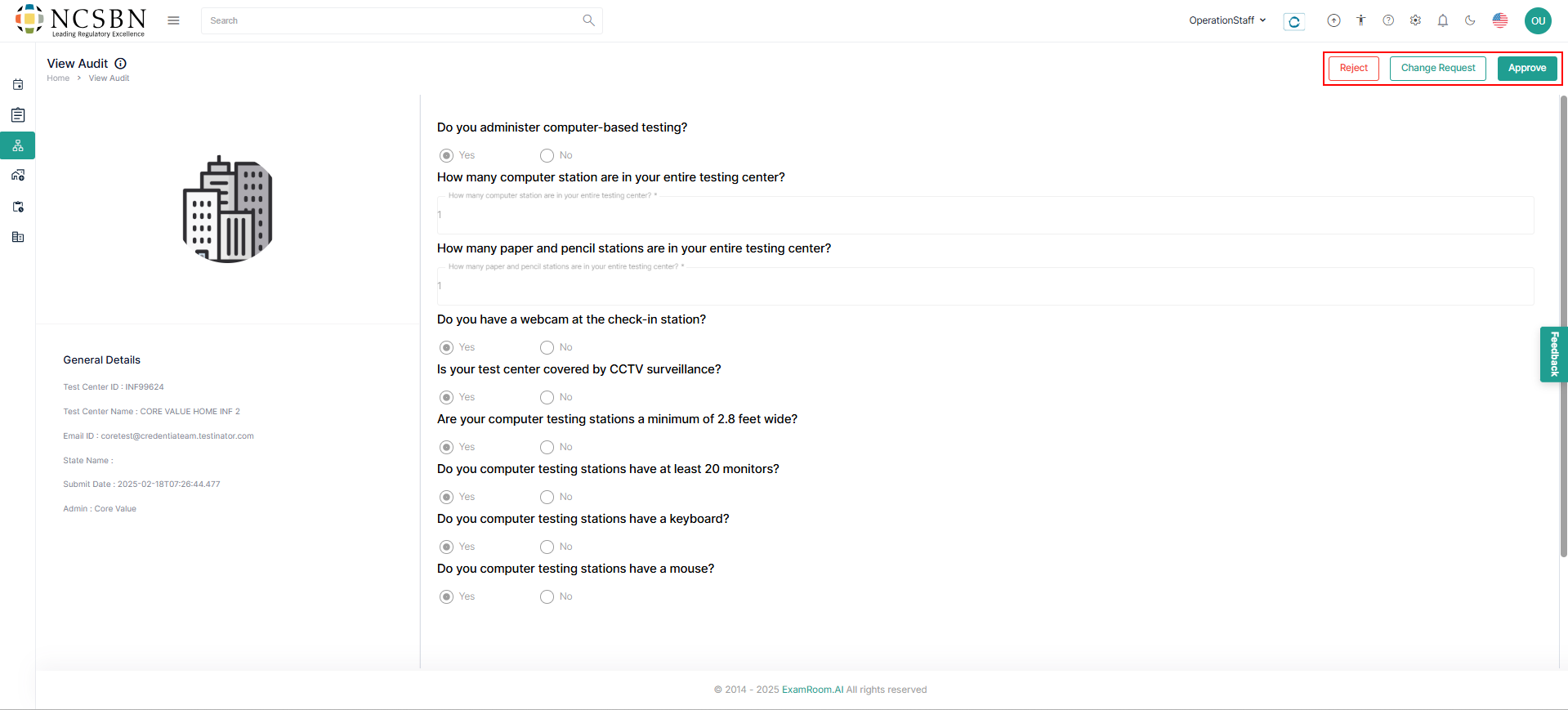
- On the View Audit page, review the submitted audit form details to manage the audit.
- The submitted audit forms that meet all criteria can be approved, and Site Managers will be notified to proceed with the next operational steps.
- On the top right corner of the screen, there are three options available.
- Click on Reject to deny the application if it does not meet the required criteria or standards.
- Click on Request Change to ask the applicant to make specific modifications to improve their application submission.
- Click on Approve to accept the application when it satisfies all requirements and meets our standards for enrollment.