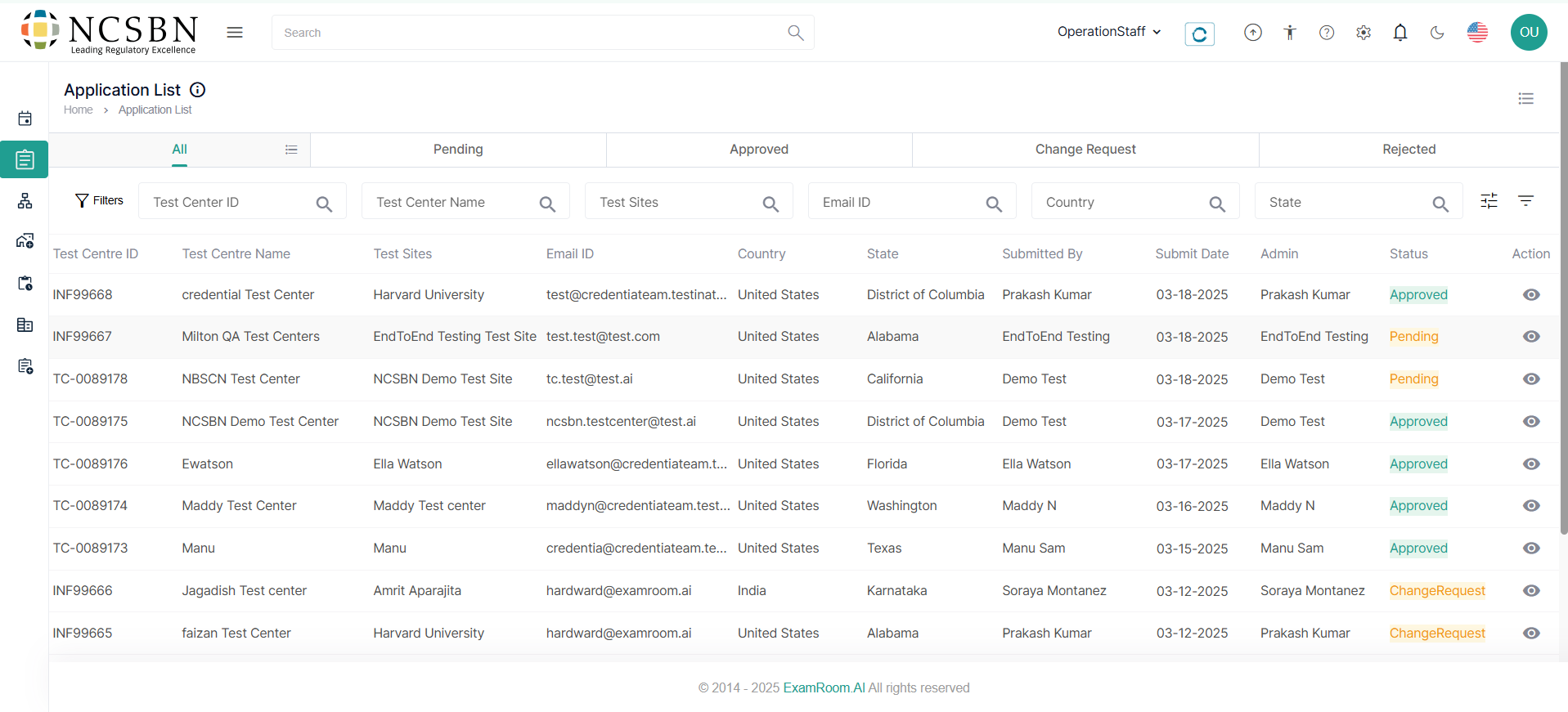
Application
The application section lets you view and review all test center applications for TSM system enrollment, update their statuses as needed, and evaluate each application for approval, required changes, or rejection based on compliance with established standards.
View Test Center Application
Once the application has been submitted, you will be able to view it.
Follow the steps below to manage and review Test Center Applications:
- Navigate to the Left Side Menu and select Application.
- In the Application section, all the submitted Applications are listed with their key information. The application section is listed in the following tables, and it is based on the status of the application.
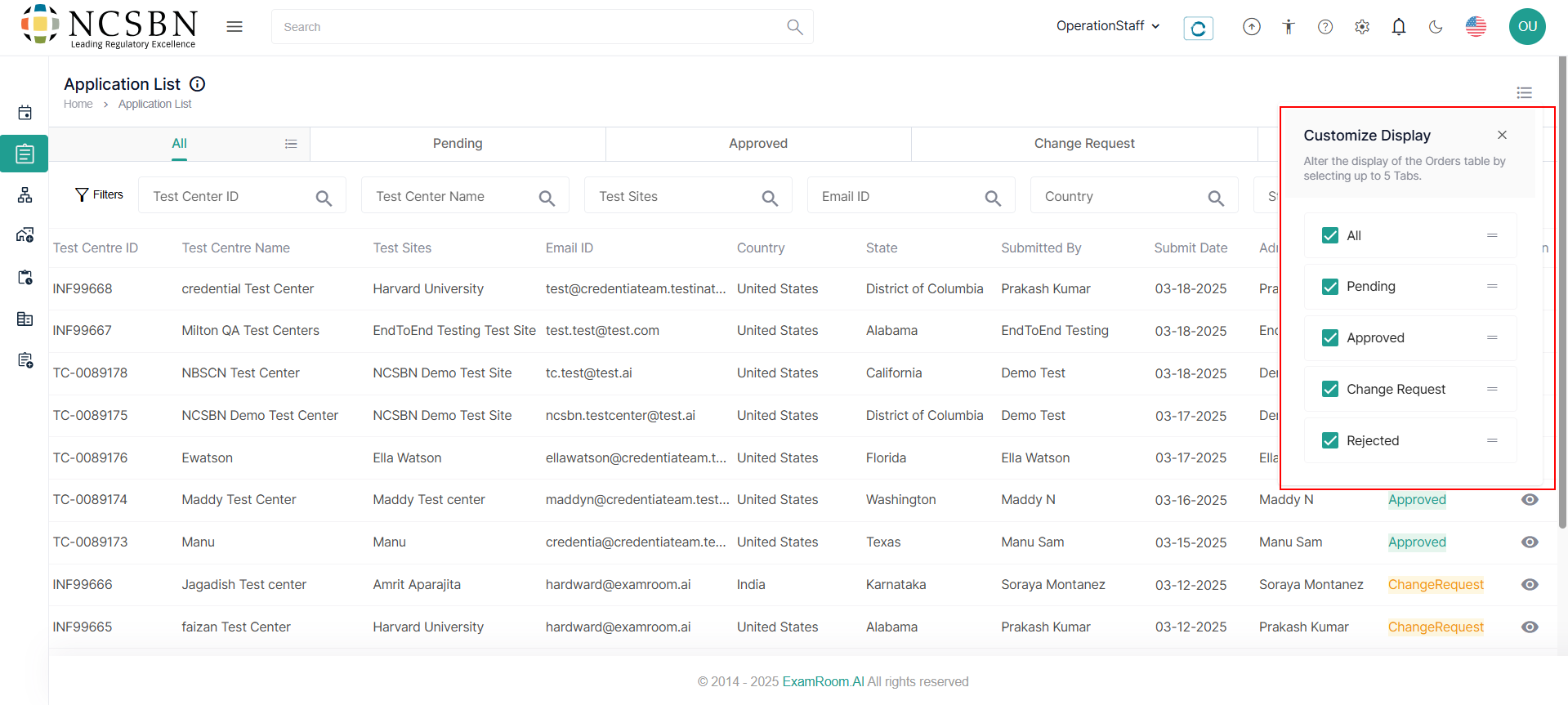
Customize the display of the Application list
You can customize the table and arrange the column as per your preference by following the below steps to customize the display of the table:
- Click Customization Display and select the required check boxes to view the respective columns in the table.
- To arrange/rearrange the order of the columns, drag the Drag icon provided next to each column label.
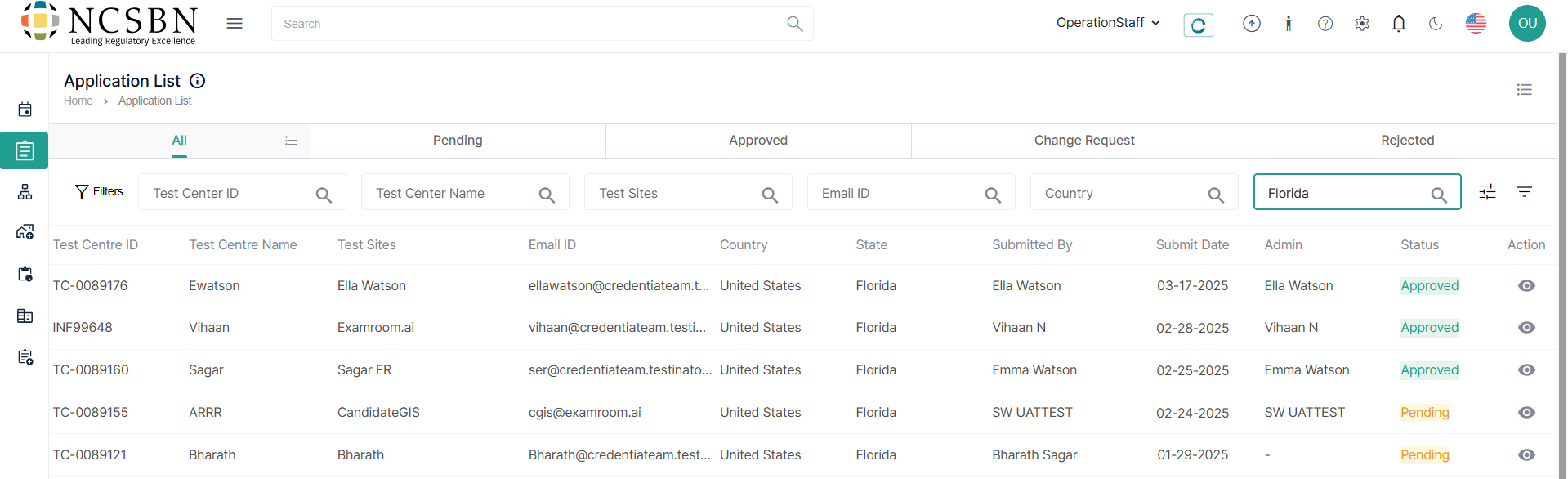
Filter and Search Options
To find an application from the list, you can utilize the filter options. Follow the below steps to filter search applications:
- Search the Applications using the Filter options based on Test Center ID, Test Center Name, Test Sites, Email ID, and Country.
- To view all the applications in the list, you need to remove added filters.
- You can search based on any of the categories to find the intended application.
- Select the applications you wish to view from the application lists.
- Under the Action column, click on the View icon to access the details of the application.