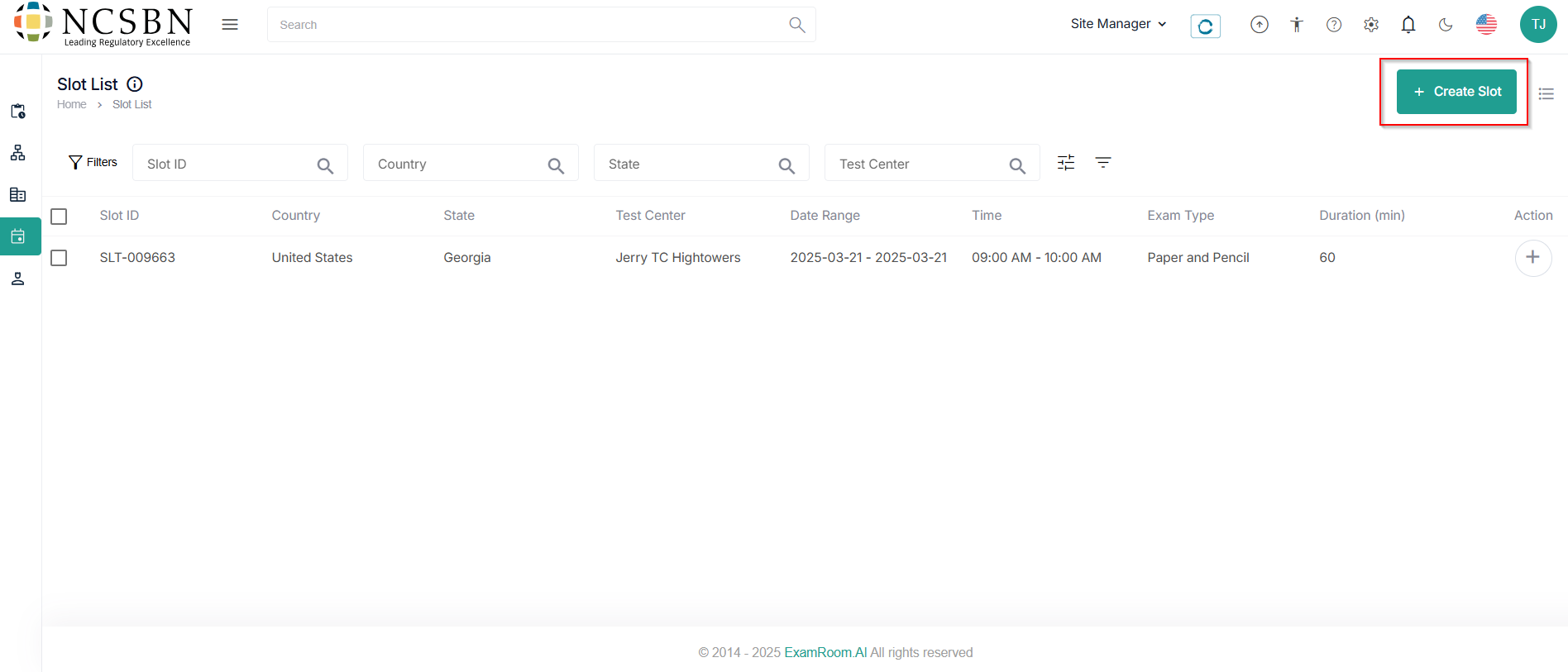
Create Slot
- To create a new slot, an application form with slot information and additional information needs to be filled out.
- Click + Create Slot to add a new slot to the respective test center.
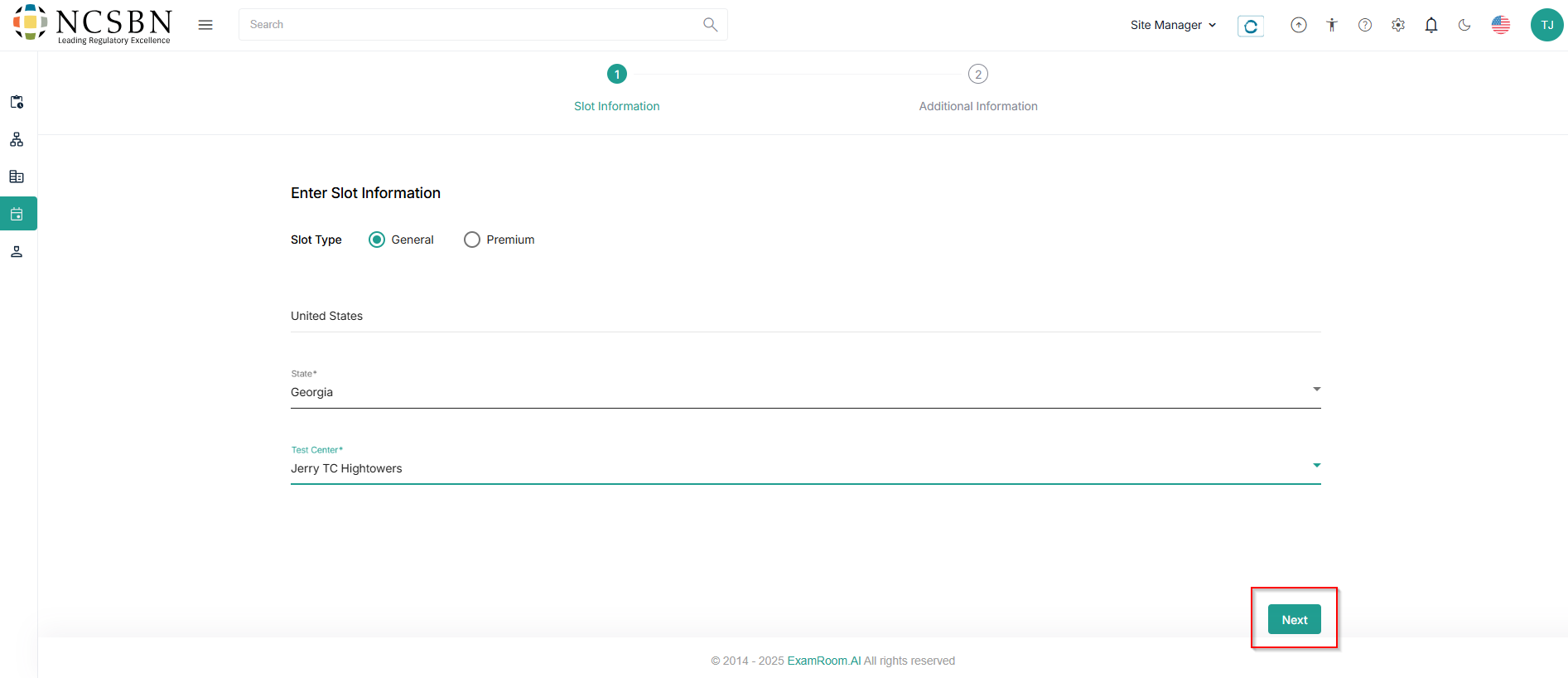
Create Slot: Slot Information
- In Slot Information, choose the pre-defined data in the mandatory fields like
- Slot Type
- Country Name
- State
- Test Center
- Click Next to proceed further.
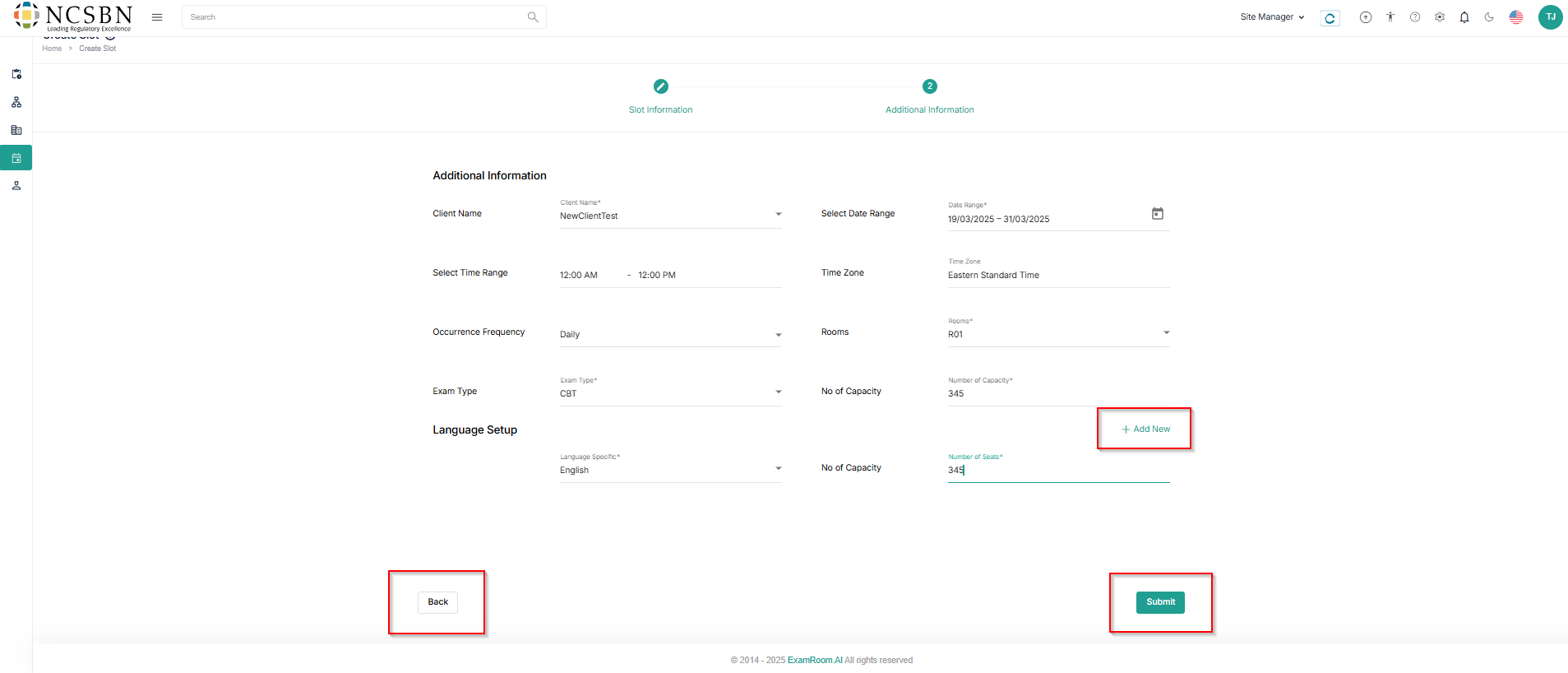
Create Slot: Additional Information
- In Additional Information, fill out the mandatory fields like
- Client Name
- Date Range
- Time Range
- Time Zone
- Occurrence Frequency
- Rooms
- Exam Type
- Capacity
- In the Language Setup, fill out the Language Specific and Number of Seats.
- Click +Add New if any further Language Setup needs to be added.
- Click Submit to create the slot or Back to return to the previous step.